Patch: Tutorial & LGF Update — April 2026
🎓 Learn to Play with our Interactive Tutorial
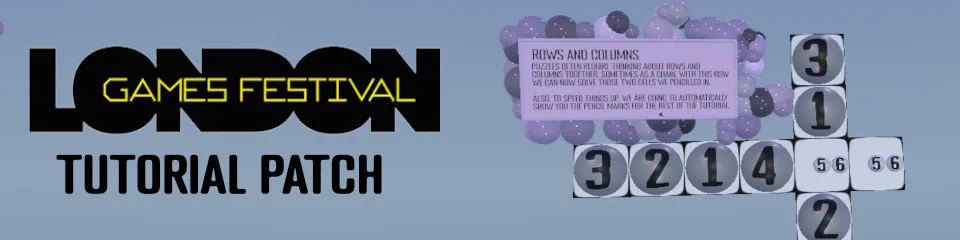
Brand new players, this one’s for you. Augmental Puzzles now has a full interactive tutorial that walks you through Sudoku step by step — from placing your first number all the way to tackling a complete board.
The tutorial introduces concepts gradually across multiple stages: single cells, pencil marks, columns, boxes, and how to work through a dead end. Each stage uses a custom mini-board so you’re never overwhelmed.
Already know your stuff? A skip button lets you bail out after the first stage — tap it twice to confirm and you’re straight into the action. You can always replay the tutorial from the How To Play menu if you fancy a refresher.
🧠 Smart Hints — Now Even Smarter
We have given the hint system a proper overhaul under the bonnet. The hint panel now bounces in instead of sliding, and should not longer block the board. It will disappear cleanly when you crack on with the puzzle.
Hints now highlight the specific cell being solved so it stands out from the rest of the related group — no more squinting at a sea of yellow. Stale hint colours are also cleared automatically before each new hint, so you’ll never see leftover highlights from a previous request.
🎮 London Games Festival Demo
We brought Augmental Puzzles to the London Games Festival 2026! If you tried the game at LGF — welcome, and thanks for stopping by.
The demo build features a curated set of puzzles and the new tutorial, so festival-goers could jump straight in without any faff. If you’re here because you played at the festival, the full game has loads more waiting for you.
✨ Visual & UI Improvements
- New ink/pencil toggle slider on the keypad — a chunky 3D toggle that makes it dead obvious whether you’re placing values or pencil marks.
- Pencil and value buttons now flash green when adding and red when removing — instant feedback so you always know what’s happening.
- Mixed Reality Toggle: Shutoff the world or enable passthrough mode, on supported hardware.
- Settings menu rebuilt with new ball-based sliders and toggles — feels much more tactile and in keeping with the rest of the game.
🐛 Bug Fixes
- Puzzle progress now counts pencil marks as partial completion, so your progress balls actually reflect the work you’ve put in.
- Fixed hints sometimes repeating the same suggestion.
- Fixed pencil marks occasionally landing on the wrong bits (keypad bitmask issue).
- Fixed a crash caused by the hint system double-freeing memory on cleanup.
- Fixed stale hint highlights hanging around after making a move.
- Fixed the loading screen sometimes respawning the title menu mid-load.
- Fixed progress bars showing zero on boards with pencil marks but no placed values.
- Various stability fixes and warning cleanup.
- Game board split into cleaner separate pieces for better visuals and collision.
Known Issues
- Some hints might repeat. We are investigating it.
Patch: Smart Hints — March 2026
🧠 Smart Hints
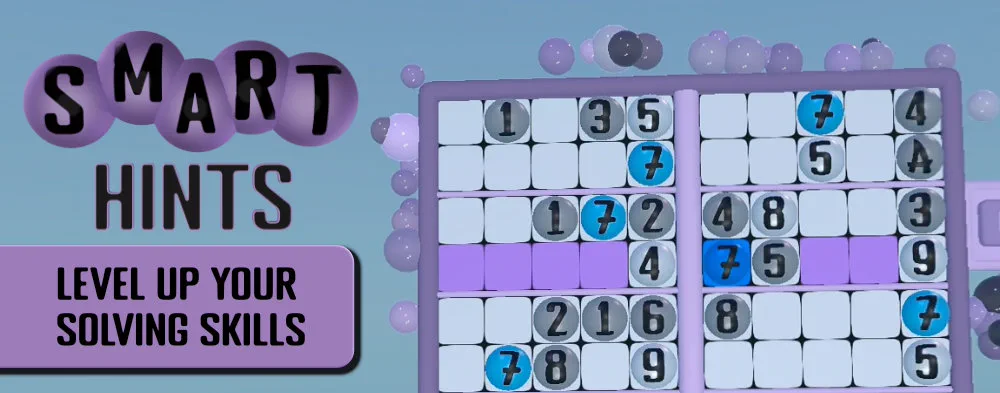
Stuck on a tricky cell? Our brand new Smart Hint system is here to help you learn, not just solve.
Request a hint and the board will highlight the relevant cells while a text explanation walks you through the logic — teaching you real Sudoku techniques as you play.
Hints slide in with a smooth animated panel at the bottom of the board, and disappear the moment you make your next move. No clutter, no spoilers — just a gentle nudge when you need one.
📦 Mega Pack — 101 Challenging Puzzles
For those who crave a proper challenge — the Mega Pack is here with 101 hand-picked puzzles designed to push your skills to the limit. Large grids, tricky techniques, and plenty of head-scratching moments await.
This pack includes more advanced techniques like Naked and Hidden Triples, X/Y Wings and the almighty Swordfish.
Currently available as a Steam exclusive — coming to Meta Quest soon.
✨ Visual & Performance Improvements
- New game board model — cleaner look with better collision zones for the hint panel and pause button.
- Anti-aliasing (FXAA) now enabled on PCVR and high-end standalone headsets for a crisper image.
- Adaptive rendering quality — the game now detects your headset and GPU to pick the best visual settings automatically.
- Puzzle balls now show a subtle in-progress halo so you can see at a glance which puzzles you’ve started.
- Puzzle ball positioning fixed in the Daily Challenge frame — no more slightly off-centre balls.
🛠️ Quality of Life
- Daily Challenge screen reliability improvements — faster loading and fewer edge-case glitches.
- Better pack descriptions — fixed some garbled text in pack info screens.
- Improved save system — your progress is now stored more efficiently with a smoother cloud sync experience.
- Per-controller hover and focus — each hand now tracks independently, fixing some cases where one pointer would steal the other’s selection.
🐛 Bug Fixes
- Small colour bugs in the menu system fixed.
- Fixed a bug where hints could pick the wrong cell or skip valid options.
- Fixed puzzles occasionally marking as complete before the board was fully solved.
- Fixed the music player tripping over itself on scene changes.
- Fixed Daily Challenge collision issues flagged in last month’s known issues — should be fully sorted now.
- Fixed data pack loading issue that could prevent the Mega Pack from appearing.
- Various stability and crash fixes across the board.
Known Issues
- The new Mega Pack is not yet available on Meta Quest. We’re working on it.
Click For Previous Patch Notes

Proudly powered by the Godot Engine for a native, high-performance VR experience.