Click For Latest Patch Notes
Patch: Minesweeper Update (September 2026)
💣 The Big Stuff
Classic Minesweeper joins Sudoku and Nonograms, and it is not quite the Minesweeper you remember from a beige office PC. Inspired by the pen and paper classic, there is no fog of war and there is no lucky click. All our puzzles as always are hand-set, have computer-validated unique solutions and are solvable by deduction alone. Every clue is on the board from the start, and your job is to work out where the mines are using nothing but the numbers.
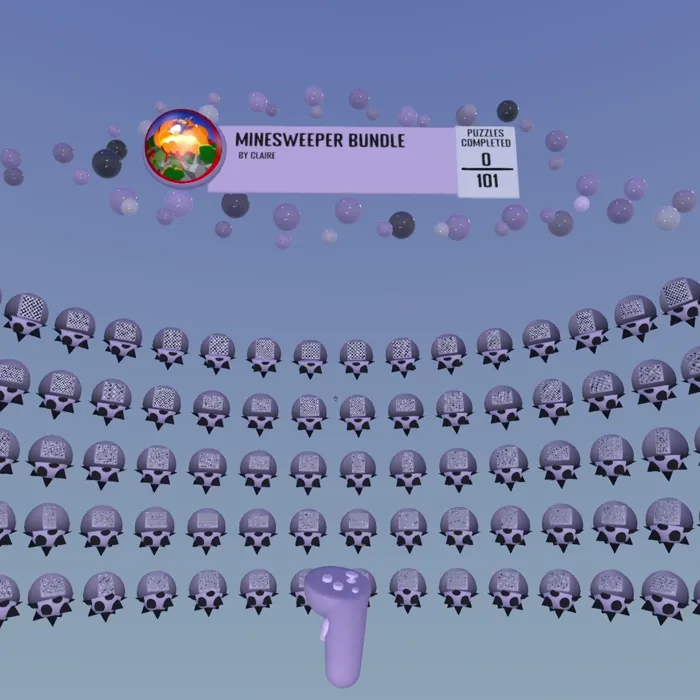
We added a few puzzles to the Welcome Pack and are introducing a new Minesweeper Bundle of 101 boards.
As with all the game modes the help section will show you all the techniques you need, and our smart hint system can always show you the next step and teach you how to solve.
This also comes with various quality-of-life updates and improvements to Sudoku and Nonograms.
There is a pile of smaller fixes and tidy-ups in here that never made it into the notes. If something that used to annoy you has quietly stopped annoying you, that was probably deliberate. If it has not, tell us with the in-game feedback screen and we will take a look. Minesweeper is brand new, so we especially want to hear how the first boards feel.
How It Works
If you have played the Win95 Minesweeper, forget the part where you click and hope. A Minesweeper board here is a grid of hidden cells, some of them mines, with number clues scattered through it. Each clue counts the mines in the eight cells around it. You mark every hidden cell as either a mine or safe, and the board is done when every mine has been found.
- Every clue is visible from the start. Nothing is hidden behind a click. The whole board is one logic problem you can see at once, and you can take it in any order you like.
- No lucky clicks. There is no mine total to lean on and no corner you have to gamble on. Every deduction comes out of a clue and the cells around it, and every board is verified to be solvable that way before it ships.
- Marking safe cells counts too. A cell you know is clear is as useful as a mine you have found. Once you mark the last mine, the board fills in the rest for you.
Built for Your Hands
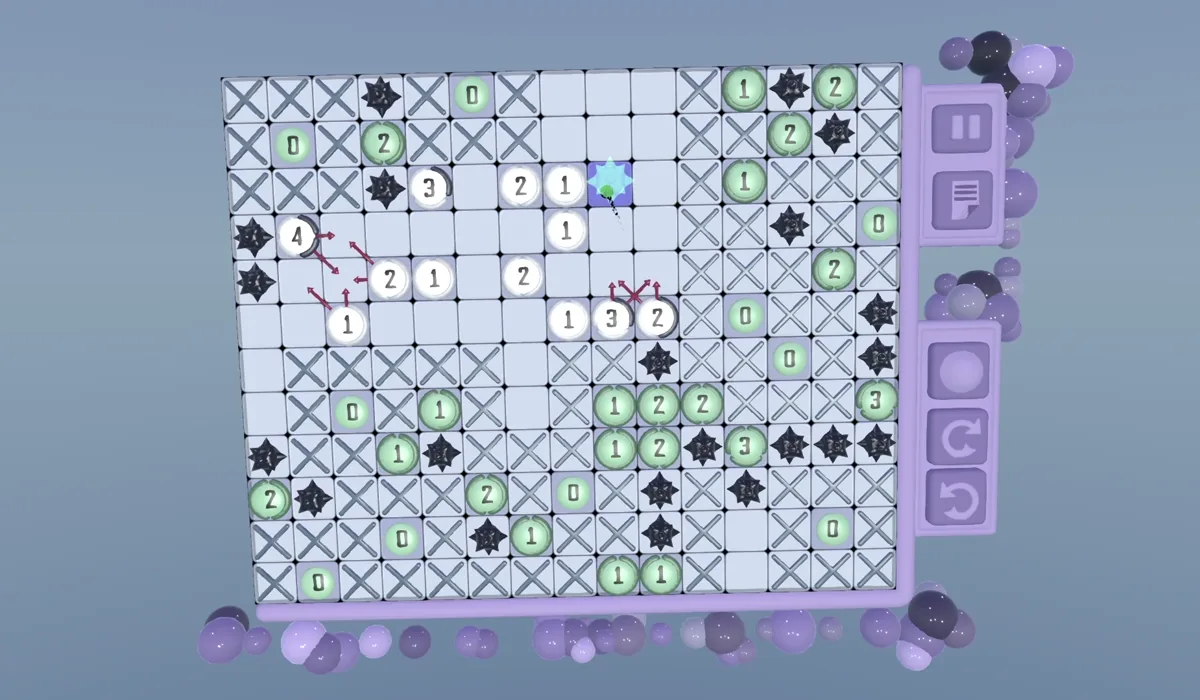
- Paint in strokes. Drag along a row or column to mark a run of cells in one go, the same way you paint a nonogram line. A wobble of a cell either way is forgiven.
- One brush, two ends. Tap the brush to flip between mine and safe. It is the same brush button as the nonogram board, so your thumb already knows it.
- Ghost marks for working. Drag from a clue onto one of its neighbours to leave a ghost: a small note that says "this clue thinks a mine is here". Ghosts are for thinking, not committing. They clear when the cell gets a real value, and undo brings them back.
- Clues that celebrate. When a clue has every mine it needs it lights up and, if you let it, crosses off its remaining neighbours for you. More on that under Settings.
- Everything else on day one. Undo, redo, hints, autosave, the scratch pad, replay on the results screen and a Minesweeper ball on the title screen. If the other two modes have it, this one has it.
Hints That Teach
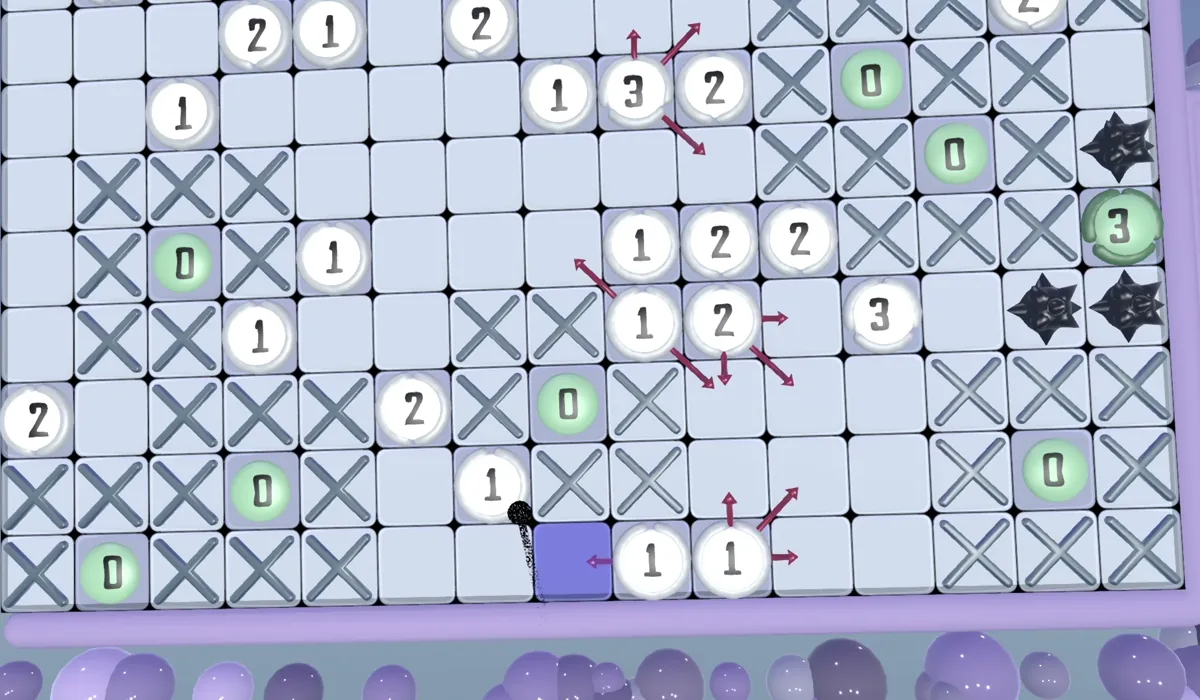
Minesweeper hints run on the same solver as the other two modes, so a hint tells you what to do and why. The solver works its way up a ladder: "every cell around this clue is safe", "every cell around this clue is a mine", then the harder cases where two clues overlap and what one of them knows narrows down what the other can be. The cells it is talking about light up on the board. If it genuinely cannot find a logical step, it will point at a cell instead, and it will tell you that is what it is doing.
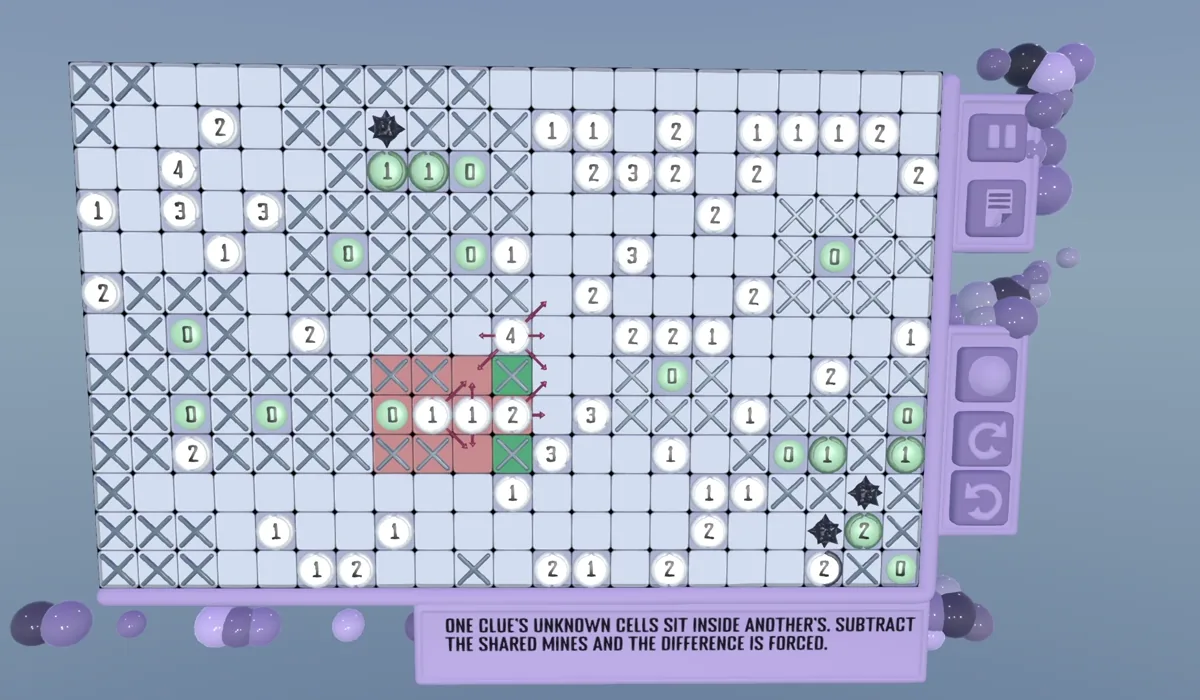
Sizes
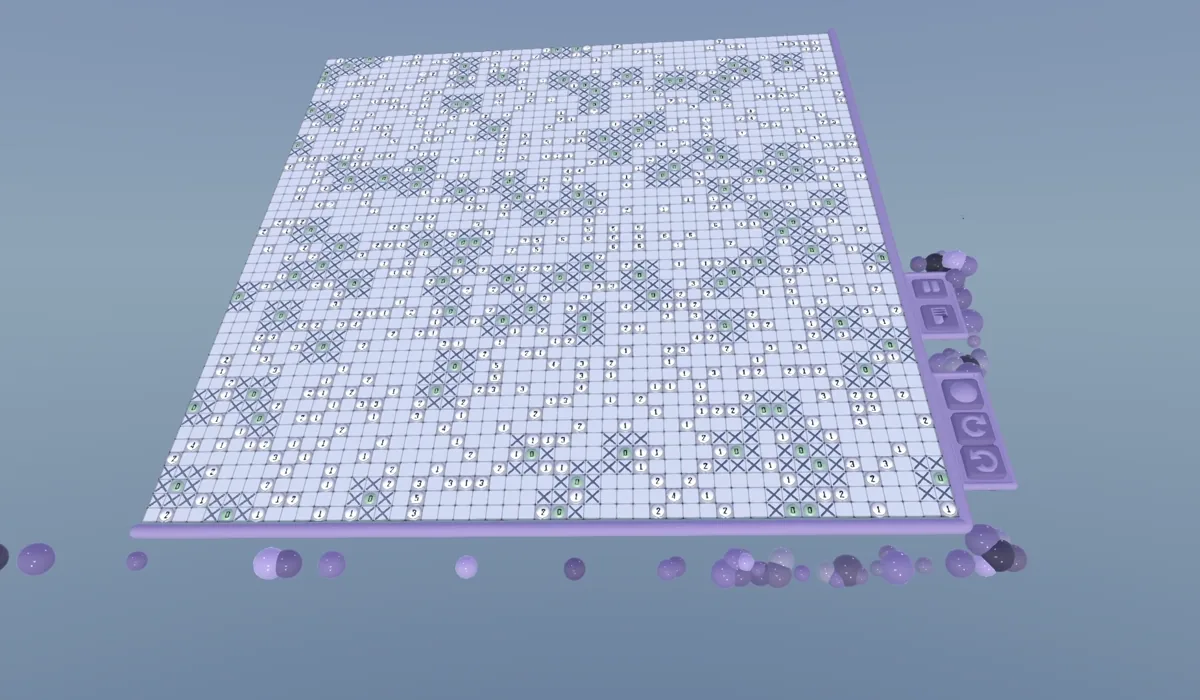
Boards run from a friendly 8x8 up to a 50x50. Both Nonograms and Minesweeper will now grow out the board once you go above 20x20 to ensure a proper sized board you can throw on the wall.
Challenge yourself to the GIANT minefield to sweep. Grab it, put it on the ceiling, take a week over it.
Settings
There is a new Minesweeper tab in Settings with three toggles:
- Show Mistakes. A wrong mark lights up, along with the clue it breaks.
- Auto Zero. A clue of zero has no mines around it, so the game crosses those cells off for you.
- Auto Safe. When a clue has all of its mines, its remaining neighbours are crossed off automatically. Both auto options hold back while any clue on the board is broken, so they never paper over a mistake.
New Content
NEW PACK
Welcome Pack. Six Minesweeper boards have been added, stepping up from 8x8 to 50x50. Free for everyone, and the first couple double as the tutorial for now.
Minesweeper Bundle. 101 hand-set minefields, from 10x10 up, finishing on one enormous 50x50. On Steam it is included with the game. On Meta Quest it is a new optional pack alongside the Sudoku and Nonogram ones.
Daily Challenge. September's boards are live: Sudoku through the week with Nonograms at the weekend, ramping from a gentle Monday to a proper Sunday. Minesweeper is not in the daily rotation yet. We want to watch how the first boards land with you before we start setting them against a clock.
Fairer Difficulty Ratings
This one touches all three modes. When the rater scores a puzzle it walks through it the way a person would, one technique at a time. It now also counts how many other moves were on offer at each step. A step you could have found five different ways is worth less than a step with only one way in, and a long run of hard moves counts for more than the same moves spread out across the solve. The Sudoku rater was rebuilt on a per-technique table at the same time. The upshot is that ratings and par times within each mode are more consistent with each other, and a "Hard" is hard for a reason you could point at.
Sudoku
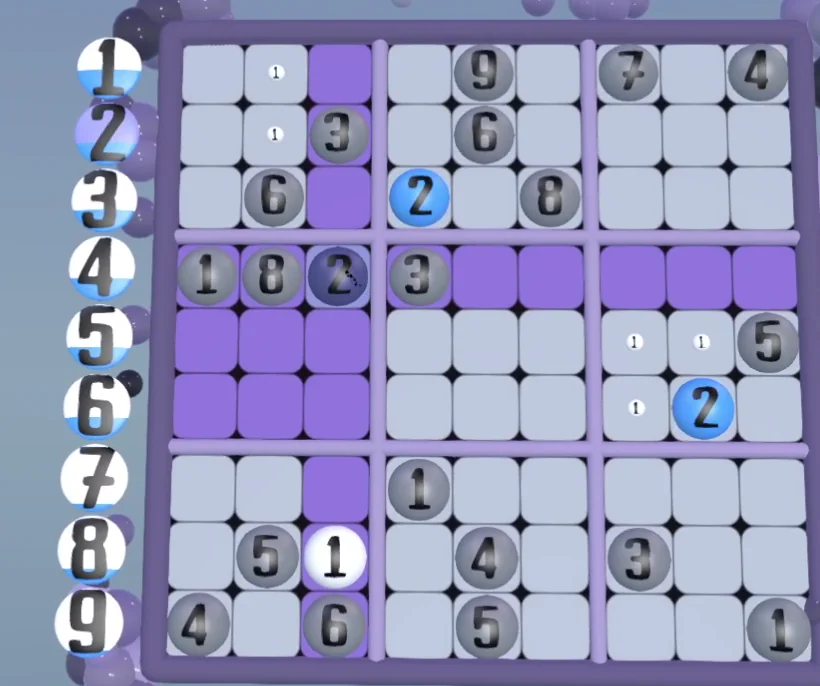
- Hints say which number. X-Wing, Swordfish and Y-Wing hints now name the candidate they are about, and single hints carry the value, so you know what to look for and not just where. Thank you for the feedback on that.
- Eliminations stay on screen. What a hint has ruled out stays visible between steps instead of being wiped by the next recalculation.
- The number tally reads the board. The counter now tracks placed and clashing numbers straight off the grid and lights up with whatever the board is highlighting. Place a number under your pointer and the tally updates without you moving.
- Highlight Matching does what it says. The setting was being saved and then quietly ignored by the new board renderer. It gates the highlighting properly now.
- Show Number Counter. The tally can be switched off from the Sudoku settings tab. It is on by default.
- Swordfish highlight fix. The row highlight was lighting the wrong cells. Again thanks for the feedback in spotting that.
- A crash in waiting. The tally could write out of range on an empty or pencil-only cell. Guarded.

Nonograms
- Animations. We have added some more animation to the boards.
- The last black finishes the picture. Placing the final filled cell crosses everything left as white in the same move, so the board ends complete. One undo takes the lot back. Minesweeper does the same with its last mine.
- Auto-fill fires on the right move. A line satisfied by the move you just made fills on that move, not the one after.
- Tap to clear. Painting a single cell with the value it already has toggles it off again, as the red preview has always promised. Strokes still set. As requested.
- Solved means solved. A finished picture reports 100 percent even if you left the whites blank, so the menus stop offering Continue on a puzzle you have done. Old saves are repaired on load.
- A valid picture wins. With solution checking off, a picture that satisfies every clue counts as solved even if it is not the one we had in mind.
- Hints scan the whole board before choosing, and the replay no longer dies if a demo forgot to say how big it was.
- Performance improvements. We updated the performance of the boards.
Fixed
- The pause menu progress bar reads the puzzle's own progress instead of counting cells.
- Level balls stopped refreshing every frame. Small, but it is exactly the sort of thing a standalone headset feels.
- Level balls have accurate preview grids. The shader grid now shows the exact number of cells.
Click For Previous Patch Notes

Proudly powered by the Godot Engine for a native, high-performance VR experience.